Skip to content
logo-dgreen
  • Tutorials
  • FAQs
  • Contact Us
  • Login
  • Portal
Menu
  • Tutorials
  • FAQs
  • Contact Us
  • Login
  • Portal

Updating of Formation Track attendance

  • Activities, Members
Update the Formation Track of the member records
  1.  Using the encoder’s account of your chapter go to Members Tab
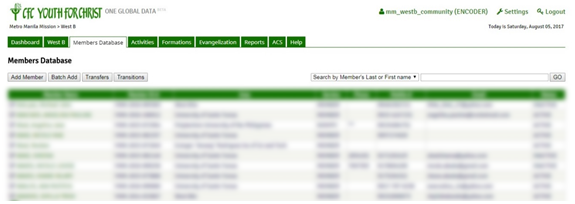
  1. Search and click the name of the member whose formation track service record you want to edit
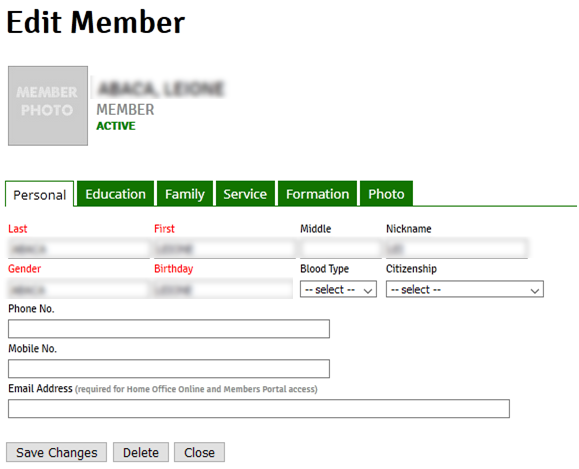
  1. Click the Formation Tab. 
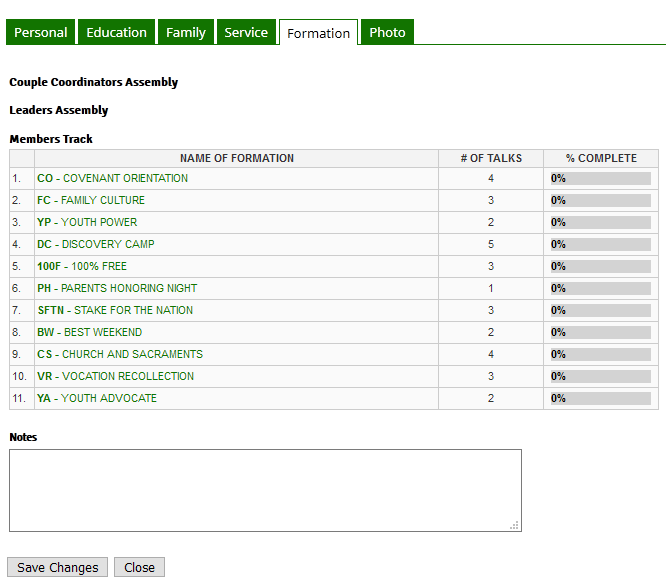
  1. Click the Formation Track name which you want to update for the particular record then click all the talks attended and don’t forget to click Save Changes
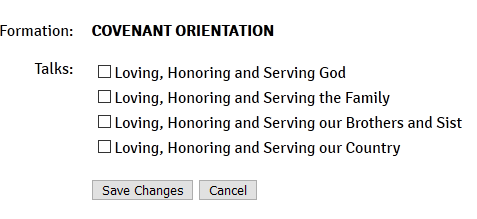
  1. Click Save Changes to save any changes that you made in the record before clicking another tab or closing the record

1
PrevHow to use ACS (Windows) to record attendance?
Add Youth CampNext
Other Tutorials

Update Account Details

Approve Transition from Ministry (KFC)

Add Formation Track Activity

Access Members Portal through YFC Infosystem

How to use ACS (Android) to record attendance?

Add Youth Camp

FAQs

Can “Guest” accounts be used to update member list in the ACS?

Can multiple devices be used to get attendance in one activity?

Why is there no “Household” in the Activities Option?

What to do if we forgot password?

How can we delete a member’s double account?

Can we delete an inactive member’s account?

Related Tutorials
  • Activities
  • Evangelization
  • FAQs
  • Household
  • Members
  • Reports
  • User Accounts
  • Tutorials
  • FAQs
  • Contact Us
  • Login
  • Portal
Menu
  • Tutorials
  • FAQs
  • Contact Us
  • Login
  • Portal
Help and Learn