Skip to content
logo-dgreen
  • Tutorials
  • FAQs
  • Contact Us
  • Login
  • Portal
Menu
  • Tutorials
  • FAQs
  • Contact Us
  • Login
  • Portal

Search Member

  • Members
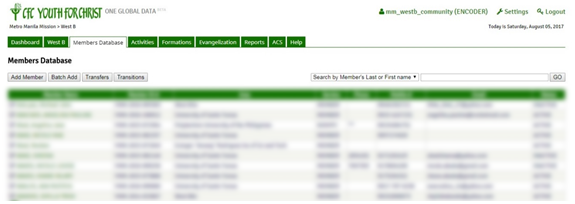
Searching Members in the Database
  1. Using the encoder’s account of your chapter go to Members Tab
  1. Using the drop-down button choose whether to search by Member’s First Name or Last Name or by Area
  1. Type the First/Last Name or Area in the text form beside the drop-down button and click GO
PrevRequest Transition to Ministry (SFC, CFC, HOLD, SOLD)
Generate ReportsNext
Other Tutorials

Add Activity

Retrieve Account Password

Update account password in settings

Add Youth Camp

Approve Transition from Ministry (KFC)

Kinds of Account in the YFC Infosystem

FAQs

How can we delete a member’s double account?

Can multiple devices be used to get attendance in one activity?

Can we delete an inactive member’s account?

Can “Guest” accounts be used to update member list in the ACS?

What to do if we forgot password?

Why is there no “Household” in the Activities Option?

Related Tutorials
  • Activities
  • Evangelization
  • FAQs
  • Household
  • Members
  • Reports
  • User Accounts
  • Tutorials
  • FAQs
  • Contact Us
  • Login
  • Portal
Menu
  • Tutorials
  • FAQs
  • Contact Us
  • Login
  • Portal
Help and Learn